Basics
Variables
Variables in this case is the same as variables in other basic programming languages. It is a reference to a value. e.g. If I name my cat as Tabby, I wouldn't call it "Here 'cat' come here". Rather I would say "Here 'Tabby' come here". It is known that Tabby is a cat, and that cat is Tabby. Sticking with the same example, If I have a table with Column Name "CAT", the rows below it can contain cat names such as "Tabby". (Diagram 1)
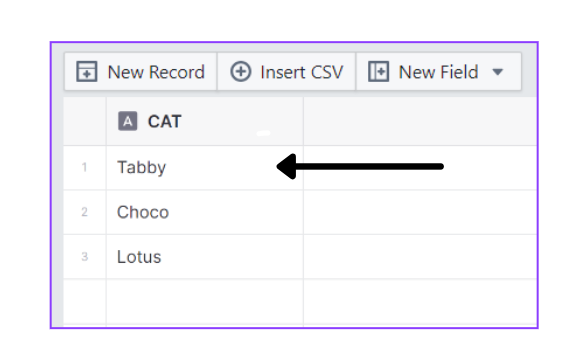
The naming convention for variables is as follows:
<NodeName>.<NodeVariableName>
e.g. Following the previous example, if I were to have a table with the Column Name "CAT", and I place a Read Node to read that table, my variable would be named: \
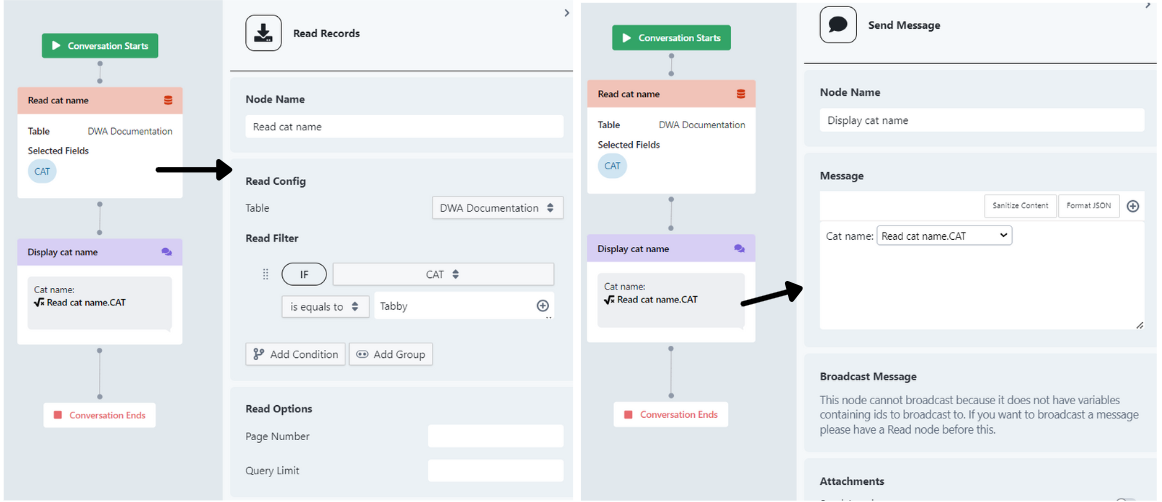
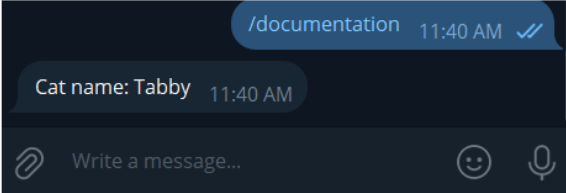
Read cat name.CAT
The node name becomes Read cat name since I have already renamed my Node to that
If used, it will output "Tabby" if the Output Options is set to First Row (Diagram 2), and an array [Tabby, Choco, Lotus]
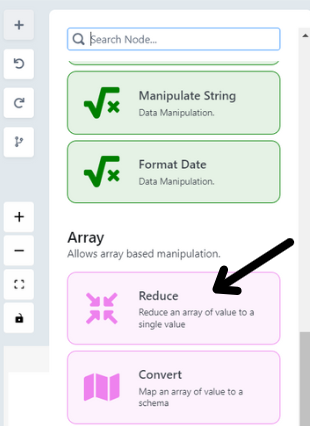
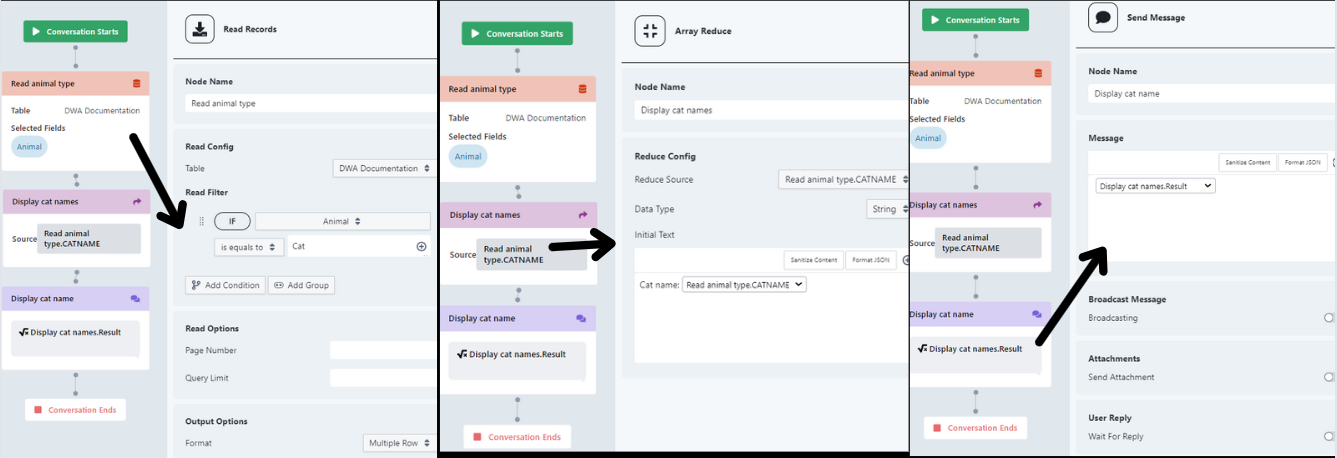
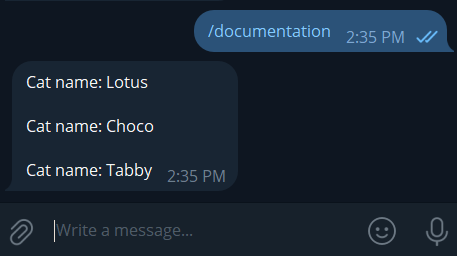
if Output Options is set to Multiple Row (Diagram 3).
Variables are only accessible to a node if it is created above the node.
Default Variables
These variables are accessible to any node, anywhere.
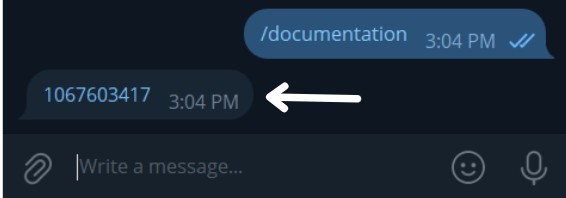
-
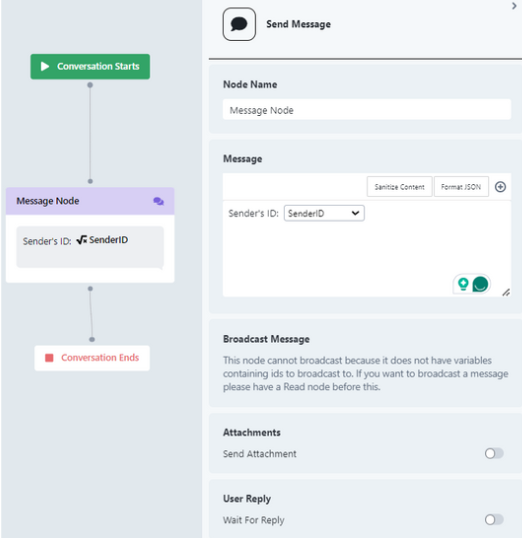
Sender ID
-
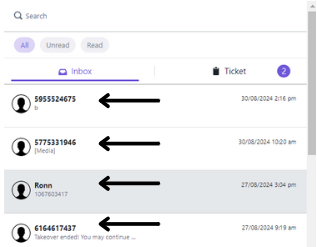
The ID of the user that is triggering the workflow. In most cases, the ID is the user's phone number. (Diagram 4)
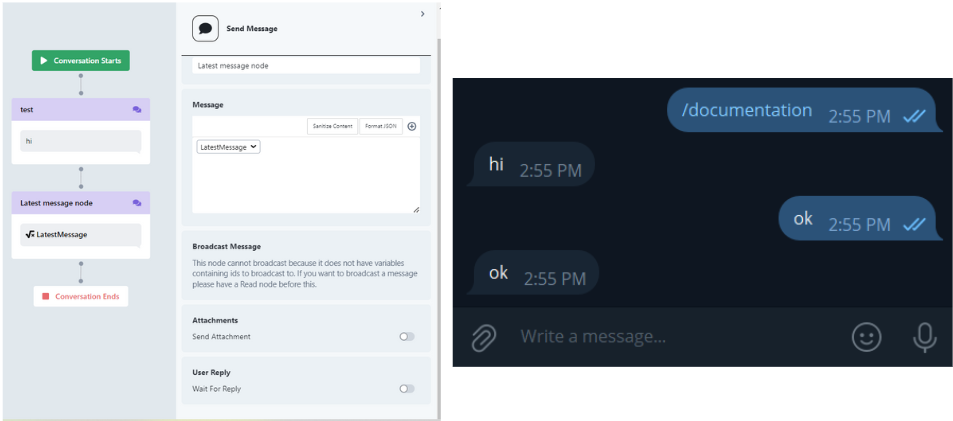
-
-
Latest Message
- The latest message that was sent by the user. (Diagram 5)
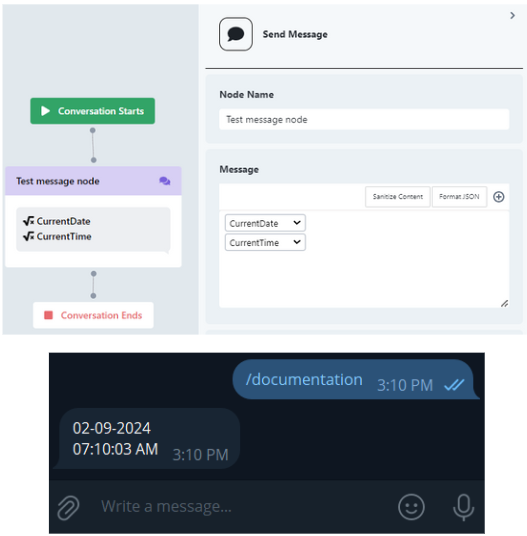
-
Current Date
- The current Date (Diagram 6)
-
Current Time
-
The current Time (Diagram 6)
\
-
Input/Output Types
Below outlines the Input and Output types that are accepted in the DWA chatbot. These Input/Output types can be set within some nodes like the Message Node, to strictly allow that specific type to be accepted. If a user gives something other than the determined data type, the bot will re-prompt them for the correct data type.
- integer
- string
- url
- long_string
- image_path
- boolean
- date
- duration
- float
- file
- object
Drifts
Drifts are essentially workflows that influences the chatbot's behavior. It comprises of Nodes that are connected to each other to determine what the chatbot will do once the workflow has been triggered.
Nodes
Nodes are the building blocks of Drifts. They are individual actions that can connect and communicate to other nodes to eventually build a Drift.
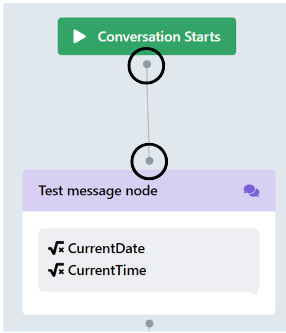
Node Connection Points (Diagram 7)
Each node has 2 connection points, with the exception of Path Node and Button Node. The connection point above the node, are called Receiver Points, while the ones at the bottom of the node are called Contributor Points. Receivers can only connect to contributors and contributors can only connect to receivers. They also cannot connect to themselves.
The receiver can receive variables from the contributing node, which then allows variables to be passed from one end of the drift to the other end, as long as they are all connected. Meaning, Node 1 may contain the user's name and Node 12 may need to use the name, hence by connecting the nodes, Contributor to Receivers, from Node 1 to 12, it will be possible for Node 12 to use the name variable, as well as all the other variables in the nodes between 1 till 12.
Trigger Commands
Commands are keywords that triggers a drift. It marks the start of the chatbot executing the drift/workflow, based on the nodes that are in the drift. Each drift will be connected to one command only and commands always begin with "/", to signify that it is a command. Some special drifts, however, does not need a command, such as Entry Point Drifts, and Event Drifts.
Data Table
DWA has built in Data Table within its system to allow CRUD operations within the chatbot. The table closely resemble Excel Sheet or Airtable.